1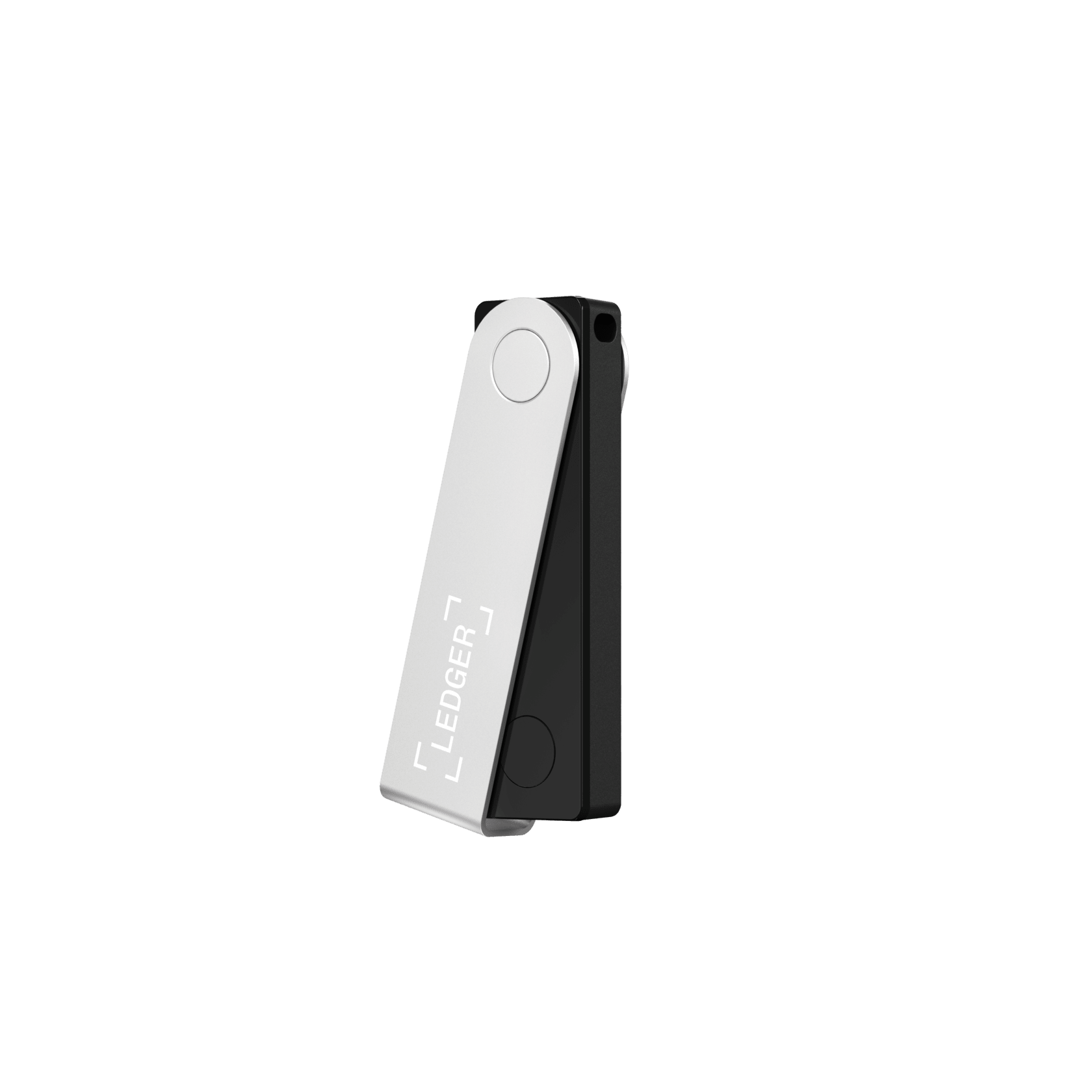
Ledger Nano X Highest mark
Ledger's mainstream flagship: a certified secure element and the widest coin support, with Bluetooth for phone use, though the firmware stays closed.
Security 8.8
Ease 8.6
Assets 9.5
Cold storage means your private keys live entirely offline, out of reach of any online attacker. These are the devices we trust most for money you plan to hold and rarely touch.
The best cold storage we have tested is the Ledger Nano X, which scores 8.5 out of 10 on our fixed 40-point standard, best for broad coin support.
We bought and lived with every cold storage in this ranking (18 in total), set each up with real funds, used it for a week, then ranked on merit alone with no paid placements. Close behind come the Trezor Safe 5 (9.1) and Tangem Wallet (8.8).
Each device was purchased at our own cost, not sent by the maker.
Set up, funded and carried daily before a single mark was given.
Affiliate links fund the work but never change a score or the order.
Each wallet was bought at our own cost, set up, funded and carried for a week before it earned a mark. The score is one number out of forty, weighing security, ease, assets, value and recovery.
Ledger's mainstream flagship: a certified secure element and the widest coin support, with Bluetooth for phone use, though the firmware stays closed.

Trezor at its best: fully open-source firmware paired, at last, with an EAL6+ secure element and a color touchscreen. The wallet to get if you want to verify, n...

A tap-to-use cold wallet in a card that sets up in about ninety seconds, with an EAL6+ secure chip and no seed phrase to lose. The gentlest way off an exchange.

A fully air-gapped wallet with a big 4-inch touchscreen, a fingerprint reader and three secure-element chips. Open-source firmware you can actually reproduce.

A security-maximalist, fully air-gapped wallet with the only EAL7-certified operating system in crypto, offline "Perfect Key" generation and a steel backup. It...

A metal card wallet with a bank-grade EAL6+ secure element and three-factor tap-to-sign. Cold-storage security in your pocket, from a NASDAQ-listed card maker.

A tiny Swiss-made cold wallet with fully open-source, reproducible firmware, a dual-chip design and a microSD backup. A Bitcoin-only edition strips the code to...
The original hardware wallet: proven, open-source and affordable, if now showing its age.

A sealed-metal, fully air-gapped wallet with a 4-inch touchscreen, a self-destruct anti-tamper body and support for 10,000+ tokens. The trade-off is closed core...

A polished aluminium cold wallet with a big 2.8-inch touchscreen, an Infineon EAL5+ secure element and both USB-C and Bluetooth. Easy to verify on, if you accep...

The compact original that made Ledger a household name. Its certified secure chip is as safe as ever; its tiny app storage is why most owners upgrade to the Nan...
A fully open-source hardware and software wallet with reproducible builds, multiple secure elements, and air-gapped QR signing on the Pro. Broad multichain supp...
A Bitcoin-only, air-gapped signer with dual secure elements and open-source firmware, long the power-user favorite. A 2026 seed-entropy flaw and multi-million-d...
A cheap, fully open-source Bitcoin and Liquid hardware wallet with a camera for air-gapped signing. It skips a physical secure element for an open blind-oracle...
Block's Bitcoin-only hardware wallet ditches the seed phrase for a 2-of-3 setup across your phone, a fingerprint device and Block's server. Wonderfully easy, wi...
A cheap, large-screen, open-source hardware wallet built on Trezor firmware. The catch is serious: no secure element, and an unpatched 2019 flaw that extracts t...
A beautifully simple metal cold-storage card with no seed phrase, no app setup and no electronics. The catch is fundamental: Ballet, not you, generates the priv...
A seedless cold wallet that splits your key across a tap device and four cards, so there is no single seed phrase to lose. Clever and audited, but desktop-only...
Chip certification, breach history and how keys are isolated.
Setup, daily use, and how hard the app is to get wrong.
How many coins, tokens and chains it actually supports.
What you pay against what a rival gives for the money.
How safely you can restore if the device is lost or dies.
Cold storage is not one product but a spectrum, from a tap-to-phone card to a fully air-gapped device that never connects to anything. Most people put cold storage into practice with a hardware wallet, so every device below was bought at our own cost and scored on the same fixed standard; these are the ones we would trust with our own long-term holdings.
| If you want | Our pick | Why |
|---|---|---|
| The best overall cold wallet | Trezor Safe 5 ($169) | Fully open-source with an EAL6+ secure element and a touchscreen. The highest mark in our register for offline storage you can actually verify. |
| The most secure, for large holdings | NGRAVE ZERO ($398) | Fully air-gapped, QR-only signing with a certified secure element. Built for a serious balance you rarely touch. |
| The best air-gapped with a screen | Keystone 3 Pro ($149) | A large touchscreen and QR-plus-microSD signing that never plugs into your computer, at a mainstream price. |
| The best cold storage for beginners | Tangem (from $54.90) | A truly air-gapped tap-to-phone card with an EAL6+ chip and no seed phrase to lose. The gentlest way into self-custody. |
| The best air-gapped for broad assets | ELLIPAL Titan 2.0 (from $149) | Fully air-gapped QR signing, an EAL5+ secure element and anti-tamper protection across a wide range of coins. |
| The widest coin and chain support | Ledger Nano X ($149) | Certified secure element and support for over 5,500 assets, with a polished app for moving between cold storage and daily use. |
| The cheapest cold storage that is safe | SafePal S1 ($49.99) | Fully air-gapped QR signing with a certified chip at the lowest price we trust. |
Cold storage means your private keys live entirely offline, on a hardware wallet that an online attacker can never access. The private key is generated and kept inside the device, and every transaction is signed there, so even a computer riddled with malware can request a transfer but never approve one. That single property is what makes a cold wallet the right home for the cryptocurrencies you plan to hold, from Bitcoin to a long tail of altcoins.
The opposite is a hot wallet: a phone or browser app that keeps your keys on an internet-connected device. Hot wallets are convenient for daily spending and DeFi, but that connection is also their weakness. Cold storage removes it entirely, which is why it protects against online hacks, malware and phishing in a way no software wallet can.
You do not have to choose one. The sensible setup for most people is both: a small hot wallet for the coins you spend and trade, and cold storage for the bulk you are holding for the long term. Each has clear pros and cons, so the table below weighs them side by side.
| Cold wallet | Hot wallet | |
|---|---|---|
| Keys kept | Offline, on the device | Online, on a phone or browser |
| Best for | Long-term, high-value holdings | Everyday spending, DeFi, NFTs |
| Main risk | Physical loss or a lost recovery phrase | Malware, phishing, a compromised app |
| Cost | $49 to $400 for the device | Free |
The rule of thumb is simple: keep online only what you would be comfortable losing, and move the rest to cold storage. The larger the balance and the longer the horizon, the more the case for a cold wallet.
Nothing enters this ranking on a spec sheet alone. We buy each hardware wallet at our own cost, set it up from a sealed box, fund it, and run a real transaction and a full recovery before it earns a score. Each device is scored out of forty points across security, ease of use, coin support, value and recovery, so a mark here means the same thing across every wallet.
The devices in our ranking differ far more than their similar prices suggest. A few things separate the most secure cold wallet from the merely adequate.
| What to weigh | Why it matters |
|---|---|
| Fully air-gapped or not | An air-gapped wallet that signs only by QR code or microSD never touches your computer, closing an entire class of attack. The ELLIPAL Titan, NGRAVE ZERO, Keystone and SafePal S1 take this route; USB devices trade a little of that isolation for speed. |
| Secure element | A certified chip (Common Criteria EAL5+ or higher) resists physical extraction of your keys even if the device is stolen. Not every cold wallet has one. |
| Open-source firmware | Code the public can audit means fewer places for a hidden flaw to hide. Trezor and BitBox02 are fully open; some brands keep their firmware closed. |
| Backup and recovery | Every device gives you a recovery phrase. The best guide you clearly through backing it up and support newer options like a passphrase or Shamir backup that splits the phrase into shares. |
| Coin and chain support | If you hold more than Bitcoin and Ethereum, confirm your exact assets before buying; Ledger supports over 5,500, while some devices deliberately focus on fewer. |
| App and features | You manage a cold wallet through a desktop or mobile app, and the features around it (a passphrase, portfolio view, staking or CoinJoin privacy) vary by brand. This matters most for users who will move funds often rather than set and forget. |
The strictest form of cold storage is air-gapped. The device refuses every wired and wireless link, so there is no USB, Bluetooth, Wi-Fi or NFC path an attacker could use. Transactions are passed across as scannable QR codes or on a microSD card, and the private keys never leave the sealed device in any form.
Air-gapping closes an entire class of attack, at the cost of a slightly slower routine. For a long-term holding you rarely touch, that trade is well worth it, which is why the most security-first hardware wallets like the NGRAVE ZERO and ELLIPAL Titan are QR-only by design. Not every cold wallet is fully air-gapped, so if this matters to you, check before you buy.
The bigger the balance, the more the extra steps earn their keep. For a serious holding, add a passphrase so a stolen device and phrase still cannot open your main wallet, keep more than one offline copy of your recovery phrase on steel rather than paper, and consider storing those copies in separate locations. Some owners go further with a multisig setup that requires more than one device to move funds. None of this is necessary for a small balance, but for money you intend to hold for years it is the difference between secure and merely stored.
A cold wallet is only as safe as its setup. Buy only from the maker's official store or an authorized reseller so the device has not been tampered with in transit, and treat any wallet that arrives with a recovery phrase already printed as compromised. Let the device generate the phrase itself, set a strong PIN so a lost device stays locked, write the phrase on stamped steel, keep it offline, and always test recovery with a small amount before you move a serious balance.
| Mistake | Do this instead |
|---|---|
| Buying second-hand or from a marketplace reseller | Order only from the maker or an authorized store, so the device has not been tampered with. |
| Photographing the recovery phrase | Write it on paper or steel and keep it offline, in more than one place. |
| Keeping the only backup in one spot | For a long-term holding, keep a second steel copy in a separate, secure location. |
| Chasing the cheapest device | On money you plan to hold, pay for a certified secure element and, ideally, air-gapped signing. |
Whatever you are not actively spending. A reputable hot wallet is fine for a small, working balance, but the moment your holdings reach a level you would be upset to lose, cold storage is the clearest single improvement you can make. Move the long-term bulk offline and leave only your spending money online.
If you are moving savings off an exchange, securing a long-term holding, or simply want to sleep better, the cold wallets below are the ones we would trust with our own coins. Each was purchased at our own cost, funded, and carried through real setup and recovery before it earned its mark, so the order you see is set by score alone.
The questions buyers ask most, answered plainly.
They overlap heavily. A hardware wallet is the most common form of cold storage, but cold storage is the broader idea of keeping keys offline, which also covers air-gapped and card-format devices.
If you hold crypto you would be genuinely upset to lose, it is not overkill. For small spending balances a phone wallet is fine, but savings belong offline.
Yes. Anyone can send to your address at any time, because receiving needs only the public address. You bring the device online, or scan a QR, only when you want to spend.
You do not need to power it on to keep funds safe. Many people check once or twice a year, mainly to confirm the device still works and firmware is current.
Your funds are tied to the recovery phrase, not the company. As long as the device uses a common standard, you can restore to another brand of wallet and carry on.
The good ones seal the keys in a certified chip just like larger devices. They trade some advanced features for simplicity, but the core security is comparable.
For large holdings it is a reasonable habit. Spreading coins across two devices and two backups means no single failure or loss puts everything at risk.
Correct. An air-gapped wallet signs transactions by QR code or memory card and never makes a wired or wireless link, which removes a whole category of remote attack.
A cold wallet keeps your private keys offline on a device, so an online attacker cannot reach them; it is built for long-term holdings. A hot wallet keeps keys on an internet-connected phone or browser, which is convenient for daily spending but more exposed. Most people use both: a small hot wallet to spend, cold storage for the bulk.
For most people the safest choice is a modern device with a certified secure element and, ideally, fully air-gapped signing, used with a strong PIN and an offline recovery phrase. The NGRAVE ZERO leads our ranking for security-maximalists; the Trezor Safe 5 is our top open-source pick.
Whatever you are not actively spending. A reputable hot wallet is fine for a small working balance, but the moment your holdings reach a level you would be upset to lose, move the long-term bulk to cold storage and leave only spending money online.
Remotely it is extremely hard, because the keys never leave the device and every transaction is confirmed on it. The real risks are physical (a stolen device without a secure element or a weak PIN) and human (typing your recovery phrase into a phishing site). Buy from the official store, set a strong PIN, and never enter your phrase anywhere.
Technically yes, because the keys are offline, but paper wallets are fragile, easy to generate insecurely and awkward to spend from safely. A hardware wallet is the modern, far more reliable form of cold storage.
For anything you are holding, yes. On an exchange the platform controls the keys, so your coins are only as safe as the company; cold storage puts the keys in your own hands. Keep on an exchange only what you are actively trading.
The highest mark in this class at 8.5 out of 10. Ledger's mainstream flagship: a certified secure element and the widest coin support, wi...
The dispatch brings you fresh reviews, re-scores, and the occasional caution about a wallet that has slipped. No noise, no filler.
No spam. Unsubscribe anytime.