1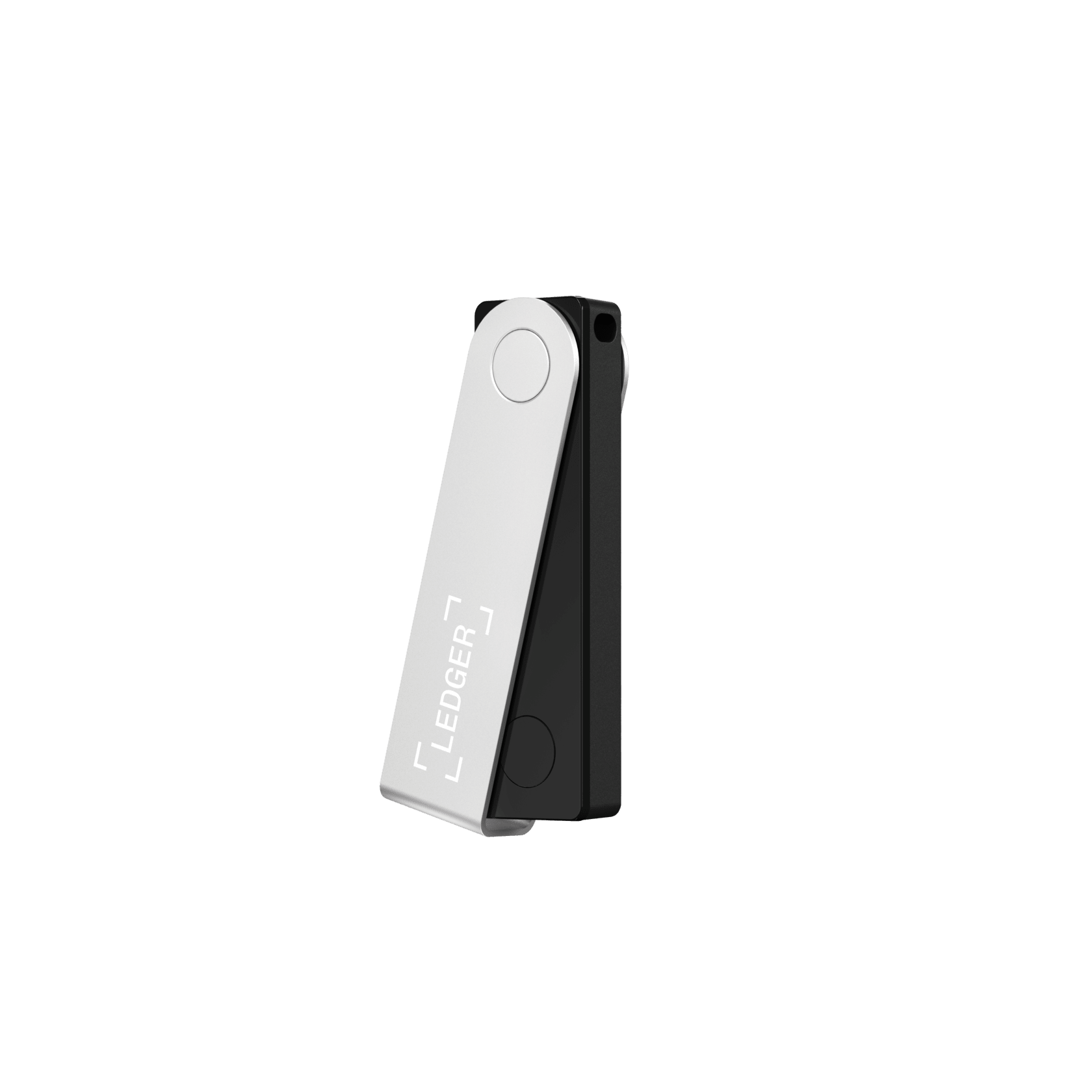
Ledger Nano X Highest mark
Ledger's mainstream flagship: a certified secure element and the widest coin support, with Bluetooth for phone use, though the firmware stays closed.
Security 8.8
Ease 8.6
Assets 9.5
A hardware wallet keeps your private keys offline on a dedicated device, so a hacked phone or laptop cannot reach them. We bought every leading model, set each one up with real funds, and ranked them on merit alone.
The best hardware wallet we have tested is the Ledger Nano X, which scores 8.5 out of 10 on our fixed 40-point standard, best for broad coin support.
We bought and lived with every hardware wallet in this ranking (19 in total), set each up with real funds, used it for a week, then ranked on merit alone with no paid placements. Close behind come the Trezor Safe 5 (9.1) and Tangem Wallet (8.8).
Each device was purchased at our own cost, not sent by the maker.
Set up, funded and carried daily before a single mark was given.
Affiliate links fund the work but never change a score or the order.
Each wallet was bought at our own cost, set up, funded and carried for a week before it earned a mark. The score is one number out of forty, weighing security, ease, assets, value and recovery.
Ledger's mainstream flagship: a certified secure element and the widest coin support, with Bluetooth for phone use, though the firmware stays closed.

Trezor at its best: fully open-source firmware paired, at last, with an EAL6+ secure element and a color touchscreen. The wallet to get if you want to verify, n...

A tap-to-use cold wallet in a card that sets up in about ninety seconds, with an EAL6+ secure chip and no seed phrase to lose. The gentlest way off an exchange.

A fully air-gapped wallet with a big 4-inch touchscreen, a fingerprint reader and three secure-element chips. Open-source firmware you can actually reproduce.

A security-maximalist, fully air-gapped wallet with the only EAL7-certified operating system in crypto, offline "Perfect Key" generation and a steel backup. It...

A tiny Swiss-made cold wallet with fully open-source, reproducible firmware, a dual-chip design and a microSD backup. A Bitcoin-only edition strips the code to...

A metal card wallet with a bank-grade EAL6+ secure element and three-factor tap-to-sign. Cold-storage security in your pocket, from a NASDAQ-listed card maker.
The original hardware wallet: proven, open-source and affordable, if now showing its age.

A sealed-metal, fully air-gapped wallet with a 4-inch touchscreen, a self-destruct anti-tamper body and support for 10,000+ tokens. The trade-off is closed core...

A polished aluminium cold wallet with a big 2.8-inch touchscreen, an Infineon EAL5+ secure element and both USB-C and Bluetooth. Easy to verify on, if you accep...
A fully open-source hardware and software wallet with reproducible builds, multiple secure elements, and air-gapped QR signing on the Pro. Broad multichain supp...
Block's Bitcoin-only hardware wallet ditches the seed phrase for a 2-of-3 setup across your phone, a fingerprint device and Block's server. Wonderfully easy, wi...

A fully air-gapped cold wallet for under $50, with a certified secure element, a self-destruct anti-tamper design and a big multi-chain app. The cheapest seriou...

The compact original that made Ledger a household name. Its certified secure chip is as safe as ever; its tiny app storage is why most owners upgrade to the Nan...
A Bitcoin-only, air-gapped signer with dual secure elements and open-source firmware, long the power-user favorite. A 2026 seed-entropy flaw and multi-million-d...

One of the first hardware wallets with a fingerprint sensor: unlock and sign with a touch, over Bluetooth, with a certified secure element and standout XRP supp...
A cheap, large-screen, open-source hardware wallet built on Trezor firmware. The catch is serious: no secure element, and an unpatched 2019 flaw that extracts t...
A cheap, fully open-source Bitcoin and Liquid hardware wallet with a camera for air-gapped signing. It skips a physical secure element for an open blind-oracle...
A seedless cold wallet that splits your key across a tap device and four cards, so there is no single seed phrase to lose. Clever and audited, but desktop-only...
Chip certification, breach history and how keys are isolated.
Setup, daily use, and how hard the app is to get wrong.
How many coins, tokens and chains it actually supports.
What you pay against what a rival gives for the money.
How safely you can restore if the device is lost or dies.
There is no single best hardware wallet, only the best one for how you hold. Every device below was bought at our own cost and scored on the same fixed standard; these are the picks we would point a friend to depending on what they need.
| If you want | Our pick | Why |
|---|---|---|
| The best overall, open-source | Trezor Safe 5 ($169) | Fully open-source firmware and hardware paired with an EAL6+ secure element and a color touchscreen. The wallet to get if you want to verify, not trust. |
| The best hardware wallet for beginners | Tangem (from $54.90) | A tap-to-phone card with an EAL6+ chip and no seed phrase to lose. It sets up in about ninety seconds. |
| The widest coin and chain support | Ledger Nano X ($149) | A certified secure element and multi-chain support for over 5,500 assets, plus a polished mobile app (Ledger Live) and Bluetooth for managing crypto from your phone. |
| The safest, most security-first device | NGRAVE ZERO ($398) | Fully air-gapped, QR-only signing with a certified secure element. Built for a serious long-term holding you rarely touch. |
| The best air-gapped wallet with a screen | Keystone 3 Pro ($149) | A large touchscreen, open-source firmware and QR-plus-microSD signing that never plugs into your computer. |
| The best open-source minimalist | BitBox02 ($149) | A tiny, fully open-source (Apache-2.0) dual-chip device with a clean desktop app. |
| The cheapest hardware wallet that is still safe | SafePal S1 ($49.99) | Fully air-gapped QR signing with a certified chip at the lowest price we trust. |
If you are here mainly to hold Bitcoin, the good news is that every device above stores BTC well, since Bitcoin support is universal on hardware wallets. The choice comes down to how you want to hold it, and a couple of picks stand out for a Bitcoin-first owner.
| If you want | Our pick | Why |
|---|---|---|
| The best overall for Bitcoin | Trezor Safe 5 ($169) | Open-source firmware, an EAL6+ secure element, and rock-solid Bitcoin support with a touchscreen for verifying every address on the device. |
| A Bitcoin-focused, open-source pick | BitBox02 ($149) | A tiny, fully open-source dual-chip device; its maker also offers a Bitcoin-only firmware edition that trims the attack surface for BTC purists. |
| Bitcoin plus everything else | Ledger Nano X ($149) | Native Bitcoin alongside thousands of other assets, with Bluetooth and the Ledger Live app for managing BTC from your phone. |
| The easiest way to hold Bitcoin | Tangem (from $54.90) | A tap-to-phone card with no seed phrase to lose, the gentlest on-ramp to self-custodying your Bitcoin. |
Bitcoin-only devices from other makers exist for maximalists who want firmware that runs nothing but BTC, but for most people a mainstream multi-coin wallet holds Bitcoin just as securely. Whichever you choose, the storage principles are the same: back up the seed phrase offline and verify addresses on the device. Our full walkthrough is in how to store Bitcoin safely.
A hardware wallet, sometimes called a cold wallet, is a small single-purpose device that stores the private keys to your crypto and signs every transaction inside a sealed chip. The keys never leave the device in readable form, which is the entire point.
That one design choice is what makes a crypto hardware wallet safer than an app on your phone. Even if your computer is riddled with malware, an attacker can request a transaction but cannot approve it, because approval happens on a screen and a button you physically control. A software or hot wallet keeps those keys on an internet-connected device, so a single compromised app or clipboard can drain it.
For anyone holding more than a few hundred dollars of crypto for the long term, moving to a hardware wallet is the single biggest upgrade you can make to your security. It is the difference between hoping your phone is clean and knowing your keys were never on it.
Nothing enters this ranking on a spec sheet alone. We buy each wallet at our own cost, set it up from a sealed box, fund it, and run a real transaction and a full recovery before it earns a score. Living with a device surfaces what a product page never mentions: a fiddly button, an app that fights you, a recovery flow that assumes you already know the answer. Each wallet is scored out of forty points across security, ease of use, coin support, value and recovery, so a mark here means the same thing across every device.
The wallets in our ranking differ far more than their similar prices suggest. Five things separate the safest hardware wallet from the merely adequate.
| What to weigh | Why it matters |
|---|---|
| Secure element | A certified chip (Common Criteria EAL5+ or higher) resists physical extraction of your keys even if the device is stolen. Not every wallet has one; the older Trezor Model One and Model T rely on a general-purpose chip instead. |
| Open-source firmware | Code the public can audit means fewer places for a hidden flaw to hide. That transparency is why Trezor and BitBox02 are fully open source, while Ledger keeps its secure-element firmware closed. |
| App and interface | The software you touch daily matters as much as the chip. A clean user interface, a mobile app and features like portfolio tracking, staking or multi-chain swaps differ widely; Ledger Live is the most polished, while advanced users may prefer an open desktop app. |
| Connection type | USB and Bluetooth are convenient day to day; a fully air-gapped device that signs by QR code or microSD never touches your computer at all, closing an entire class of attack. |
| Coin and chain support | If you hold anything beyond Bitcoin and Ethereum, check the exact assets before you buy. Ledger supports over 5,500; some Bitcoin-focused devices deliberately support far fewer. |
| Recovery and backup | Every device gives you a recovery phrase. The question is how clearly it guides you to back it up, and whether it supports newer options like a passphrase or Shamir backup that splits the phrase into shares. |
A secure element is a tamper-resistant chip, the same class used in passports and bank cards, designed so your keys cannot be read out even by someone with the physical device and lab equipment. They are rated under the Common Criteria scheme: EAL5+ is strong and standard on most modern wallets, EAL6+ is higher still and now common on mid-range devices like the Trezor Safe 5 and Tangem, and the very highest ratings appear only on security-maximalist devices.
The distinction matters most if you are worried about a stolen device rather than a remote hack. A wallet without a secure element can still be safe behind a strong PIN and passphrase, but a certified chip removes the physical-extraction risk that researchers have demonstrated on older, chip-free models.
There are two schools of hardware wallet. USB and Bluetooth devices, such as the Ledger Nano X or a Trezor, are quick to use day to day and pair neatly with a phone or desktop app. Air-gapped devices like the Keystone 3 Pro, NGRAVE ZERO, SafePal S1 and ELLIPAL Titan refuse any wired or wireless link and pass transactions across as scannable QR codes or a memory card.
Air-gapping closes an entire class of attack, at the cost of a slightly slower routine. If you are securing a long-term holding you rarely touch, the trade is well worth it. If you sign transactions weekly, a certified USB device is usually the more comfortable choice. Neither is wrong; they suit different owners.
Hardware wallets run from about $49 to $400, and the gap is not marketing. It usually buys a better chip, a screen, or air-gapped signing.
| Price | What you get | Examples |
|---|---|---|
| Budget, about $49 to $60 | Real cold storage, often air-gapped or tap-to-phone, sometimes without the latest secure element | Trezor Model One, SafePal S1, Tangem |
| Mainstream, about $99 to $170 | A certified secure element, a screen, broad coin support; the sweet spot for most owners | Ledger Nano X, Trezor Safe 5, Keystone 3 Pro, BitBox02 |
| Premium, $250 and up | Maximal security or a large touchscreen, for high-value long-term holdings | NGRAVE ZERO, Ledger Stax |
Chasing the cheapest hardware wallet is a false economy on money you plan to hold. The difference between a $50 and a $150 device is often the certified secure chip itself, and that is the wrong place to save. That said, the best value is not always the most expensive: for many owners a mid-range wallet outscores a premium one on everyday use.
A hardware wallet is only as safe as its setup. Buy only from the maker's official store or an authorized reseller so the device has not been tampered with in transit, and treat any wallet that arrives with a recovery phrase already printed as compromised. Let the device generate the phrase itself, in your hands.
Write the recovery phrase on paper or, better, stamped steel, and keep it offline; a photo in your camera roll is a photo in the cloud. Consider adding a passphrase for a hidden wallet, and always test recovery with a small amount before you move a serious balance. If losing the device would mean losing everything, the backup is the part that actually protects you.
| Mistake | Do this instead |
|---|---|
| Buying second-hand or from a marketplace reseller | Order only from the maker or an authorized store, so the device has not been tampered with in transit. |
| Photographing the recovery phrase | Write it on paper or steel and keep it offline, in more than one place. |
| Skipping the authenticity check | Run the maker's genuine-device check on first connection, and confirm the device generated your phrase fresh. |
| Chasing the cheapest device | On money you plan to hold, pay for the certified secure chip. It is the feature you are actually buying. |
If you are holding a small, spendable amount you are actively trading, a reputable software wallet is fine. The moment your holdings reach a level you would be upset to lose, a hardware wallet is the clearest single improvement you can make. The rule of thumb is simple: keep online only what you are comfortable losing, and move the rest to cold storage.
If you are moving savings off an exchange, holding for years, or simply want to sleep better, the devices below are the ones we would trust with our own coins. Each was purchased at our own cost, funded, and carried through real setup and recovery before it earned its mark, so the order you see is set by score alone.
The questions buyers ask most, answered plainly.
Yes, meaningfully so. Your keys stay on the device and every transaction is approved on its own screen and button, so malware on your phone or computer cannot move your funds on its own.
Your coins are safe as long as you have the recovery phrase you wrote down at setup. Buy any compatible wallet, enter the phrase, and your funds reappear. The device is just a key, not the vault.
For pocket-money sums a reputable phone wallet is fine. Once your holdings reach a level you would be upset to lose, a hardware wallet is the clearest single improvement you can make.
On well-built devices the sensitive signing still happens inside the secure chip, so Bluetooth only carries already-protected data. If it worries you, choose a USB-only or fully air-gapped model instead.
Most support hundreds of assets across the major chains, but support varies by brand and by coin. If you hold something niche, confirm it is listed before buying rather than trusting a headline number.
It is a tamper-resistant chip, the same kind used in passports and bank cards, that resists someone physically extracting your keys. Devices with a certified secure element are harder to crack even with the hardware in hand.
Only from the manufacturer directly or an official authorised retailer. Avoid third-party marketplace sellers, where a device could have been opened and tampered with before it reaches you.
Open-source firmware can be inspected by anyone, which tends to surface flaws faster. It is a genuine plus, though a closed device with a certified chip and a clean track record can still be trustworthy.
For most people the safest choice is a modern device with a certified secure element and open-source firmware, used with a strong PIN and an offline recovery phrase. If you want a security-maximalist, fully air-gapped device for a holding you rarely touch, the NGRAVE ZERO leads our ranking; for open-source transparency, the Trezor Safe 5.
Both are safe on a current device. Trezor is fully open source and our highest-scored pick; Ledger supports more coins and adds Bluetooth for mobile use, but keeps its firmware closed. See our full Ledger vs Trezor comparison for the detail.
From about $49 for a budget cold wallet such as the Trezor Model One or SafePal S1, to roughly $99 to $170 for the mainstream sweet spot like the Ledger Nano X or Trezor Safe 5, up to $250 and more for premium touchscreen or security-maximalist devices.
Remotely it is extremely hard, because your keys never leave the device and every transaction is confirmed on the device itself. The real risks are physical (a stolen device without a secure element or a weak PIN) and human (typing your recovery phrase into a phishing site). Buy from the maker's official store, set a strong PIN, and never enter your phrase anywhere.
Every device in our ranking stores Bitcoin well, since BTC support is universal on hardware wallets. For a Bitcoin-first owner, the Trezor Safe 5 is our top overall pick for open-source security, the BitBox02 is a strong open-source option with a Bitcoin-only firmware edition, the Ledger Nano X pairs Bitcoin with the widest coin support, and the Tangem card is the easiest way in.
No. Bitcoin-only firmware, offered on devices like the BitBox02, trims the code down to just Bitcoin, which appeals to maximalists who want the smallest possible attack surface. But a mainstream multi-coin wallet holds Bitcoin just as securely for almost everyone, so it is a preference rather than a requirement.
The highest mark in this class at 8.5 out of 10. Ledger's mainstream flagship: a certified secure element and the widest coin support, wi...
The dispatch brings you fresh reviews, re-scores, and the occasional caution about a wallet that has slipped. No noise, no filler.
No spam. Unsubscribe anytime.